


Head Content Writer at Genzigs
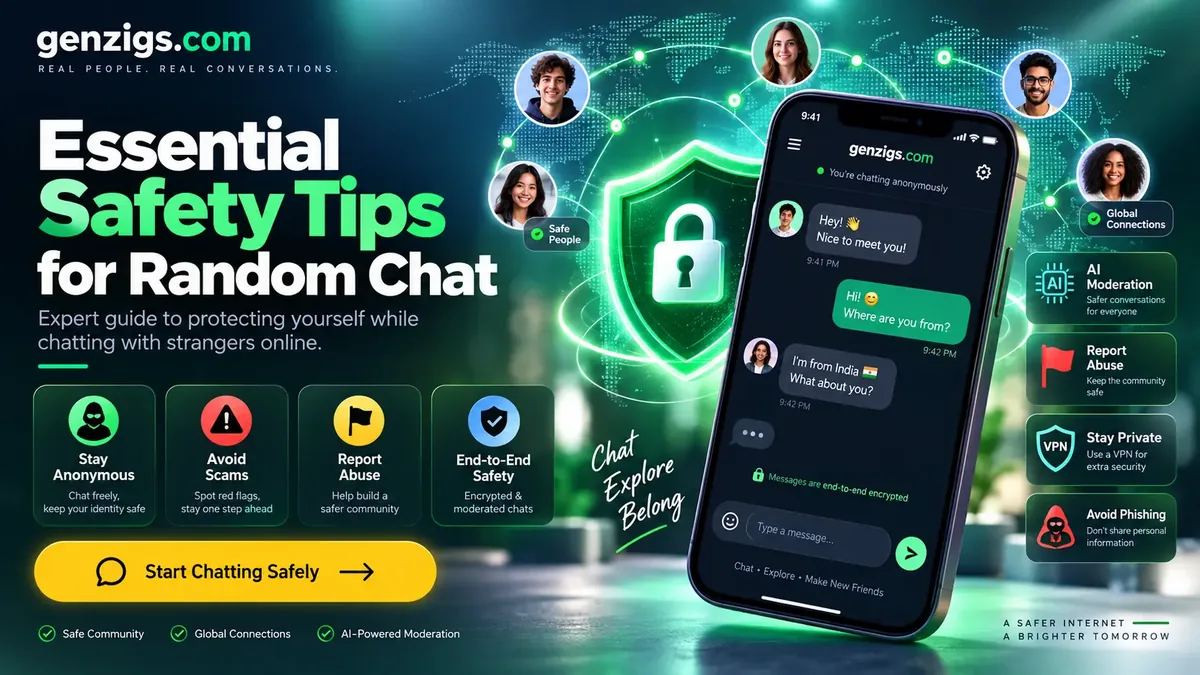
Safety First: Random chat can be fun and rewarding, but your safety should always come first. This comprehensive guide covers everything you need to stay protected.
Random chat platforms like Genzigs random chat connect you with strangers from around the world. While most conversations are friendly and enjoyable, it's critical to understand the risks and know how to protect yourself. This guide covers the full spectrum of online chat safety — from recognizing threats to building safe habits that become second nature. Whether you're new to random chat or a seasoned user, these tips will help you chat with confidence.
Types of Online Threats You Should Know
Understanding the threats you might encounter is the first step to staying safe. Here's a comprehensive taxonomy of risks in online chat environments:
Catfishing
Catfishing involves creating a fake identity to deceive someone into an emotional or romantic relationship. Catfishers use stolen photos, fabricated life stories, and emotional manipulation. They may eventually ask for money, personal photos, or try to lure you to unsafe situations. Warning signs include refusing video calls, having a "too perfect" profile, and inconsistent details about their life.
Sextortion
Sextortion is a form of blackmail where someone threatens to distribute intimate images or information unless the victim pays money or provides more explicit content. This often starts with the perpetrator gaining trust, then convincing the victim to share compromising photos or video. Never share intimate content with strangers — once sent, you lose all control over it.
Doxxing
Doxxing means publicly revealing someone's private information (real name, address, phone number, workplace) without their consent. This can lead to harassment, stalking, or real-world danger. Protect yourself by never sharing identifying details, using a VPN, and being careful about what background information appears in photos.
Phishing
Phishing in chat involves sending links to fake websites designed to steal your login credentials, financial information, or install malware on your device. These links often look legitimate but redirect to malicious sites. Never click links from strangers, regardless of how convincing the reason sounds.
Social Engineering
Social engineering uses psychological manipulation to trick you into revealing sensitive information. A stranger might gradually build trust over multiple conversations before making a request. They may pretend to be in distress, claim to need urgent help, or pose as authority figures. Always verify claims independently.
1. Never Share Personal Information
This is the golden rule of random chat. Never share information that could identify you in real life:
- Real name, address, or phone number
- School or workplace name
- Social media handles (at least initially)
- Photos that show your face or location
- Financial information of any kind
- Your daily routine or schedule
- Names of family members or friends
Even seemingly harmless details can be combined to identify you. A first name + city + workplace is often enough to find someone on social media. Stay anonymous until you've built significant trust over multiple conversations spanning weeks or months.
2. Trust Your Instincts
If something feels wrong, it probably is. Your gut feeling is remarkably accurate when it comes to sensing danger or manipulation. Research from Princeton University shows that people can accurately assess trustworthiness within 100 milliseconds of interaction. Don't ignore these warning signs:
- The person is pushing too hard to get personal information
- They're being overly flattering or romantic too quickly
- Something about their story doesn't add up
- You feel uncomfortable but can't quite explain why
- They create artificial urgency ("I need your help right now")
- They try to isolate you from platform safety features
When in doubt, skip to a new match. You owe no one an explanation.
3. Recognize Common Scams
Scammers use random chat platforms to find targets. Watch out for these common tactics:
- Romance scams: Someone who quickly professes love and then asks for money — these cost victims an average of $10,000 according to the FTC
- Investment scams: Promises of easy money through crypto or trading platforms
- Blackmail attempts: Threats to share embarrassing info unless you pay
- Phishing: Links to fake websites that steal your information
- Job scams: Fake job offers that require upfront payment or personal data
- Charity scams: Fake fundraisers exploiting current events or personal tragedies
- Tech support scams: Claims that your device is infected and needs "fixing"
4. Don't Click Suspicious Links
Never click on links shared by strangers. These could lead to:
- Malware that infects your device and steals data
- Phishing sites that steal your login credentials
- Inappropriate or illegal content
- IP grabbers that reveal your location
- Drive-by downloads that install keyloggers
If someone insists you visit a link, that's a major red flag. Legitimate conversations don't require you to leave the platform. Even "innocent" links like YouTube videos can be disguised IP loggers.
5. Keep Conversations on the Platform
Genzigs has safety features — report-based moderation, reporting, encryption — that protect you. When you move to another platform, you lose these protections. Be cautious about:
- Giving out your WhatsApp, Telegram, or phone number
- Sharing social media handles too quickly
- Moving to video chat platforms without moderation
- Sharing email addresses
- Downloading apps suggested by strangers
If you do want to continue a conversation elsewhere, wait until you've had multiple positive interactions over several days and feel genuinely confident about the person's identity.
6. Use the Report Button
Reporting isn't just for you — it protects the whole community. Report anyone who:
- Sends inappropriate or explicit content
- Harasses, bullies, or threatens you
- Appears to be targeting minors
- Is clearly running a scam
- Violates platform rules in any way
- Shares hate speech or discriminatory content
Your reports are reviewed by moderators who take action against violators. Platforms with active reporting communities are significantly safer. Think of reporting as a civic duty — your report could protect the next person from the same bad actor.
7. Don't Share Photos
Even on text-only platforms, conversations can evolve to photo sharing. Be extremely careful:
- Photos contain EXIF metadata that can reveal your GPS location, device model, and timestamp
- Images can be reverse-searched on Google to find your social media profiles
- Photos can be saved, shared, edited, or used for blackmail
- Once shared, you lose control forever — there's no "unsend" in reality
- AI can now generate deepfakes from a single photo
The safest approach is to never share photos with strangers from random chat, period.
8. Set Boundaries and Stick to Them
Before you start chatting, decide what you're comfortable with:
- What topics are off-limits for you?
- What information will you absolutely not share?
- When will you end a conversation?
- How will you handle persistent requests?
- What's your maximum session length?
Having clear boundaries makes it easier to enforce them. Write them down if needed. If someone pushes past your boundaries even once, skip immediately. People who don't respect boundaries won't start respecting them.
9. Be Skeptical of Perfect Stories
If someone's story seems too perfect or dramatic, it might be fabricated. Common signs of fake personas include:
- They're a model, celebrity, or in the military stationed abroad
- Their life story is extremely dramatic or designed to create sympathy
- They claim to be wealthy but need money for a sudden emergency
- Details of their story change between conversations
- They can never video call due to "technical issues"
- They match every single interest you mention
10. Remember: You're in Control
The most important thing to remember is that you're always in control. You can:
- Skip any conversation at any time without explanation
- Refuse to answer any question
- End the conversation whenever you want
- Report anyone who makes you uncomfortable
- Close the browser and walk away
- Block and never interact with someone again
No one can force you to do anything. The power is always in your hands.
Safety Checklist Before Your First Chat
Complete this checklist before starting your random chat session:
- ☐ Choose a display name that isn't your real name
- ☐ Select an avatar (don't use a real photo)
- ☐ Close any tabs with personal information visible
- ☐ Ensure your webcam is off (if text-only platform)
- ☐ Have the report button location in mind
- ☐ Set a time limit for your session
- ☐ Decide your boundaries before chatting
- ☐ Ensure you're on a secure network (avoid public Wi-Fi without VPN)
- ☐ Keep a translation app handy for international conversations
- ☐ Remember: you can skip or leave at any time
Platform Safety Features Comparison
Not all random chat platforms are created equal when it comes to safety. Here's how the top platforms compare:
| Feature | Genzigs random chat | Chatroulette | Emerald | Shagle alternative |
|---|---|---|---|---|
| Report Review | ✅ | ⚠️ | ✅ | ❌ |
| User Reporting | ✅ | ✅ | ✅ | ✅ |
| Text-Only Mode | ✅ | ⚠️ | ✅ | ⚠️ |
| Encryption | ✅ | ✅ | ✅ | ⚠️ |
| IP Protection | ✅ | ✅ | ✅ | ⚠️ |
| No Registration Required | ✅ | ❌ | ❌ | ✅ |
| Gender Filter | ✅ | ❌ | ✅ | ✅ |
| 24/7 Moderation | ✅ | ⚠️ | ⚠️ | ❌ |
What to Do If You've Been Scammed
If you suspect you've fallen victim to a scam on a random chat platform, take these steps immediately:
- Stop all communication with the scammer immediately. Do not respond to further messages.
- Document everything — take screenshots of conversations, usernames, profile details, and any links or accounts shared.
- Report on the platform — use the report function to flag the user. This helps protect others.
- Contact your bank — if you shared financial information or sent money, alert your bank or payment provider immediately to freeze transactions.
- Change passwords — if you clicked any suspicious links, change passwords for all important accounts, especially email and banking.
- File a report — report to the FBI's IC3 (ic3.gov) in the US, Action Fraud in the UK, or your country's cybercrime unit.
- Scan your device — run a full antivirus scan if you clicked any links or downloaded files.
- Seek support — being scammed can be emotionally devastating. Talk to someone you trust or contact a support helpline.
Parental Guide to Teen Chat Safety
If your teenager uses random chat platforms, here's how to help them stay safe without being overly restrictive:
Have Open Conversations
Instead of banning random chat outright (which often backfires), discuss the risks openly. Teens who feel they can talk to their parents about online experiences are much more likely to come forward when something concerning happens.
Establish Clear Rules
- Never share real name, school name, or location
- Never share photos or turn on video
- Never agree to meet anyone in person
- Immediately tell a parent if someone makes them uncomfortable
- Use platforms in common areas of the home, not bedrooms
- Set time limits for chat sessions
Know the Warning Signs
Watch for these signs that your teen may be in an unsafe situation online:
- Hiding their screen when you walk by
- Becoming secretive about online activities
- Receiving gifts or money from unknown sources
- Emotional changes after using chat platforms
- Staying up unusually late to chat
VPN and Privacy Tools for Chat Users
Enhance your privacy while using random chat platforms with these tools:
VPN (Virtual Private Network)
A VPN encrypts your internet traffic and masks your IP address, adding a layer of anonymity beyond what the chat platform provides. Recommended options include NordVPN, ExpressVPN, and ProtonVPN. Avoid free VPNs — they often monetize your data, defeating the purpose.
Secure Browser
Use a privacy-focused browser like Brave or Firefox with enhanced tracking protection enabled. These browsers block third-party trackers and fingerprinting attempts that could identify you across sites.
Password Manager
If you create accounts on chat platforms, use a password manager (Bitwarden, 1Password) to generate unique, strong passwords for each platform. Never reuse passwords across sites.
Two-Factor Authentication
Enable 2FA on any accounts associated with chat platforms. This prevents unauthorized access even if your password is compromised through a phishing attack.
Real-World Case Studies
These anonymized examples illustrate common safety scenarios and their outcomes:
Case 1: The Romance Scam
A 28-year-old user matched with someone claiming to be a military officer stationed overseas. Over three weeks of daily chats, they built an emotional connection. Eventually, the "officer" needed $500 for an "emergency flight home." The user recognized the pattern from safety guides, reported the account, and avoided financial loss. The account was banned and linked to a known scam network.
✅ Outcome: Scam avoided through awareness
Case 2: The IP Logger
A user was chatting about music when their partner shared a "cool playlist link." The link was actually an IP logger that would have revealed their approximate location. Because the user followed the "never click links" rule, their location remained private. They reported the user, who was permanently banned.
✅ Outcome: Privacy preserved by following safety rules
Case 3: The Gradual Information Leak
A teen shared their first name, school name, and city across multiple conversations with what seemed like a friendly peer. The other person used this information to find the teen's Instagram profile and began sending harassing messages. The family contacted the platform and local authorities. This case highlights why even "small" details can be dangerous when combined.
⚠️ Outcome: Harassment resulted from combining small details
Conclusion
Random chat is a wonderful way to meet new people and have interesting conversations. By following these safety tips, understanding the types of threats you might encounter, and using the right tools, you can enjoy all the benefits while protecting yourself from potential risks. Stay aware, trust your instincts, use platforms with strong moderation like Genzigs random chat, and remember — you're always in control.
Frequently Asked Questions
What is the minimum age for Genzigs?
Genzigs is an 18+ platform. Age confirmation is required before chatting.
How do I report someone on a random chat platform?
Most platforms have a report button visible during conversations. On Genzigs, click the report icon, select the reason (harassment, spam, inappropriate content), and submit. Reports are reviewed by moderators who take action against violators, including bans.
Can someone track my location through random chat?
Reputable platforms like Genzigs don't expose your IP address or location to other users. However, sharing links or moving to unprotected platforms can expose your IP. Always use the platform's built-in chat and avoid clicking external links.
What should I do if someone threatens me on random chat?
Immediately end the conversation, take screenshots as evidence, report the user on the platform, and if the threat involves real-world harm, contact local law enforcement. Do not engage with the person further or give in to demands.
Are random chat conversations recorded?
Policies vary by platform. Genzigs uses moderation that reviews reported messages but doesn't store conversations long-term. Always assume anything you type could potentially be screenshotted by the other person.
How can I tell if someone is a scammer on random chat?
Red flags include: asking for money or gifts, requesting personal/financial information, moving the conversation off-platform quickly, professing love unusually fast, sharing sob stories that lead to monetary requests, and inconsistent details in their story.
Should I use a VPN for random chat?
A VPN adds an extra layer of privacy by masking your IP address. While platforms like Genzigs already protect your IP, a VPN provides additional security, especially on public Wi-Fi networks. Free VPNs may sell your data, so choose reputable paid options.
What is catfishing and how do I avoid it?
Catfishing is when someone creates a fake identity to deceive others online. Avoid it by never sending money to strangers, being skeptical of overly perfect stories, requesting video calls to verify identity, and reverse-image searching any photos shared with you.
Can I use random chat safely on public Wi-Fi?
Public Wi-Fi is less secure. If using random chat on public networks, use a VPN to encrypt your traffic, avoid sharing any sensitive information, ensure the platform uses HTTPS encryption, and log out after each session.
What personal information is safe to share on random chat?
Share only your first name (or a nickname), general interests and hobbies, your country or region (not city), and general age range. Never share your full name, exact location, workplace, school, phone number, social media handles, or financial information.